
Converting OST to PST: Effortless Email Data Migration and Recovery - Pdf Slider
Converting OST to PST is a vital process that enables email users to seamlessly migrate their mailbox data between different email clients or recover data from corrupted OST files. This comprehensive article provides a detailed analysis of the significance of converting OST to PST and explores various methods, tools, and considerations involved in the conversion process.
Introduction
Converting OST (Offline Storage Table) to PST (Personal Storage Table) is a critical process for email users looking to migrate their mailbox data between email clients or recover data from damaged OST files. This article explores the significance of converting OST to PST and provides an in-depth analysis of various methods, tools, and considerations involved in the conversion process. By the end of this article, readers will have a comprehensive understanding of how to efficiently convert OST to PST and ensure smooth email data management.
Understanding OST and PST Files
OST and PST files are essential components of email data management. OST files are offline copies of mailbox data stored on a computer's hard drive, enabling users to access their mailbox even when not connected to the Exchange Server. On the other hand, PST files store mailbox data when using Outlook with an internet email account or for exporting data from an Exchange mailbox. Understanding the roles and differences between these file formats is essential for the conversion process.
The Importance of Converting OST to PST
Converting OST to PST plays a crucial role in ensuring efficient email data migration and data recovery. When users switch between email clients, converting OST to PST preserves all mailbox data, including emails, contacts, calendars, and attachments, without any data loss. Additionally, in cases of OST file corruption or inaccessibility, converting it to PST format allows users to recover important data and regain access to their mailbox content.
Methods for Converting OST to PST
Several methods are available for converting OST to PST, each with its advantages and limitations. Microsoft Outlook's built-in Import/Export feature provides a user-friendly approach for individual file conversions. Users can export mailbox data from an OST file to a PST file with just a few clicks.
Dedicated OST to PST converter software offers advanced features for efficient and accurate conversions. These tools can handle bulk conversion, selective item conversion, and recovery from damaged OST files. They ensure data integrity and maintain folder hierarchy during the conversion process.
The manual method involves creating a new PST file and copying mailbox items from the OST file to the PST file. However, this method requires technical expertise and is not recommended for inexperienced users.
Key Considerations for Successful OST to PST Conversion
Data integrity is a critical consideration during the conversion process. Ensuring that the converted PST file accurately represents the original data, including email metadata and attachments, is vital.
File size and performance are essential factors to consider, especially when dealing with large OST files. Optimizing the mailbox, removing unnecessary items, or using specialized software for handling large files can improve the conversion process.
Creating a backup of the original OST file before conversion is crucial to prevent data loss. Users must also choose reputable software or methods to protect their sensitive data during the conversion process.
Efficient Data Management and Organization
Effective data management and organization practices are essential for successful OST to PST conversion. Organizing email folders, archiving old emails, and managing email attachments can optimize the mailbox and simplify the conversion process.
Verifying Data Integrity after Conversion
After converting OST to PST, verifying data integrity is crucial to ensure that no data is lost or corrupted. Comparing the original OST file with the converted PST file and checking email metadata can help validate data accuracy.
Best Practices for Data Migration to New Email Clients
For a seamless transition to a new email client, importing the PST file correctly is crucial. Following step-by-step import guides and preserving folder hierarchy ensures smooth data migration.
Avoiding Common Pitfalls
Avoiding common pitfalls, such as backup negligence and using unreliable software, is essential for a successful OST to PST conversion. Proper backup and testing of the converted PST file can prevent data loss and complications.
The Future of OST to PST Conversion
The future of OST to PST conversion lies in emerging technologies such as cloud-based solutions and artificial intelligence. These advancements hold the potential to further streamline the conversion process and enhance efficiency.
Conclusion
Converting OST to PST is a significant process for email users seeking effortless email data migration and recovery. Understanding the different methods and considerations involved is essential for successful conversion. By following best practices and ensuring data integrity, users can smoothly switch between email clients and recover crucial data from damaged OST files. Converting OST to PST remains a crucial step in email data management, offering users a reliable and efficient way to manage their mailbox data effectively.
Also, Read the Benefits of converting youtube long videos to short videos.

YOU MAY ALSO LIKE

My favorite RTX Gaming Laptop Under $1500- MSI GL65 Leopard
This Article About My Good Gaming Laptop Review.
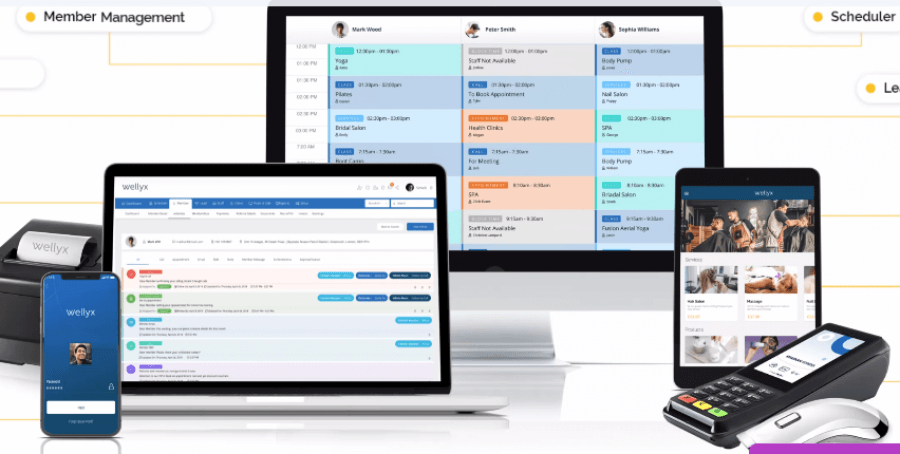
Gym Management Software Effective Way to Handle Your Clients
As we are living in the era of technology, it is easy to manage our businesses with the help of software. Software is the programs used by the computer or any other electronic device by which it runs. By keeping in view the previous definition of software, it can be said that different software can be used for various purposes like education, banking, inventory management, creating documents, in the health sector, and many other fields. Gym management software is now widely used for client’s convenience and satisfaction nowadays. It allows the company to interact with the clients efficiently.

Migrate Emails from Google Workspace to Office 365
Migrate Emails from Google Workspace to Office 365 account. Best methods for G Suite to Google Workspace migration.
Similar Links

India has 55.48 crore mobile owners, 14.32 crore Internet users
There are 55.48 crore actual mobile users in the country and 14.32 crore internet users, according to a study by research firm Juxt. "India has 55.48 crore mobile users as per our India Mobile Landscape (IML) 2013 study. More than 29.8 crore, ab

India Telecom News: India's telecom billionaires brace for the next battle - The Economic Times
Some of Indias telecom billionaires are bracing for their next looming battle: 5G. By 2025, 5G networks are expected to cover one-third of the worlds population.With applications ranging from manufacturing to education and healthcare, 5G could be the catalyst for Indias digital economy that has the potential to reach $1 trillion by 2025.

7 Sure-Esteemhost web hosting Secrets That Work
When you are able to take your information into your own hands and run your own knowledge, photos, Video, and apps, it is time to search out an honest web host which will place it all on the online for you, offer you cpanel, advanced features, and un
Similar PDFs

Why Businesses Require Data Scraping Services?
Web Scraping is a technique to scrape the data from competitor's website and it is now crucial for every business to track competitor to stay ahead in competition. In this article, I will try to explain why businesses require data scraping services.

perfect use of quickbooks connection diagnostic tool
This slide contains the stepwise information about the use of the Quickbooks connection diagnostic tool so that users take help to resolve different types of errors.